Query SQL database using a Azure LogicApp

My goal was to define a LogicApp what can be called via HTTP request, query a SQL database with a select count query and return the result as text on the HTTP response body. This is how my workflow looks like:

First of all define a HTTP trigger:
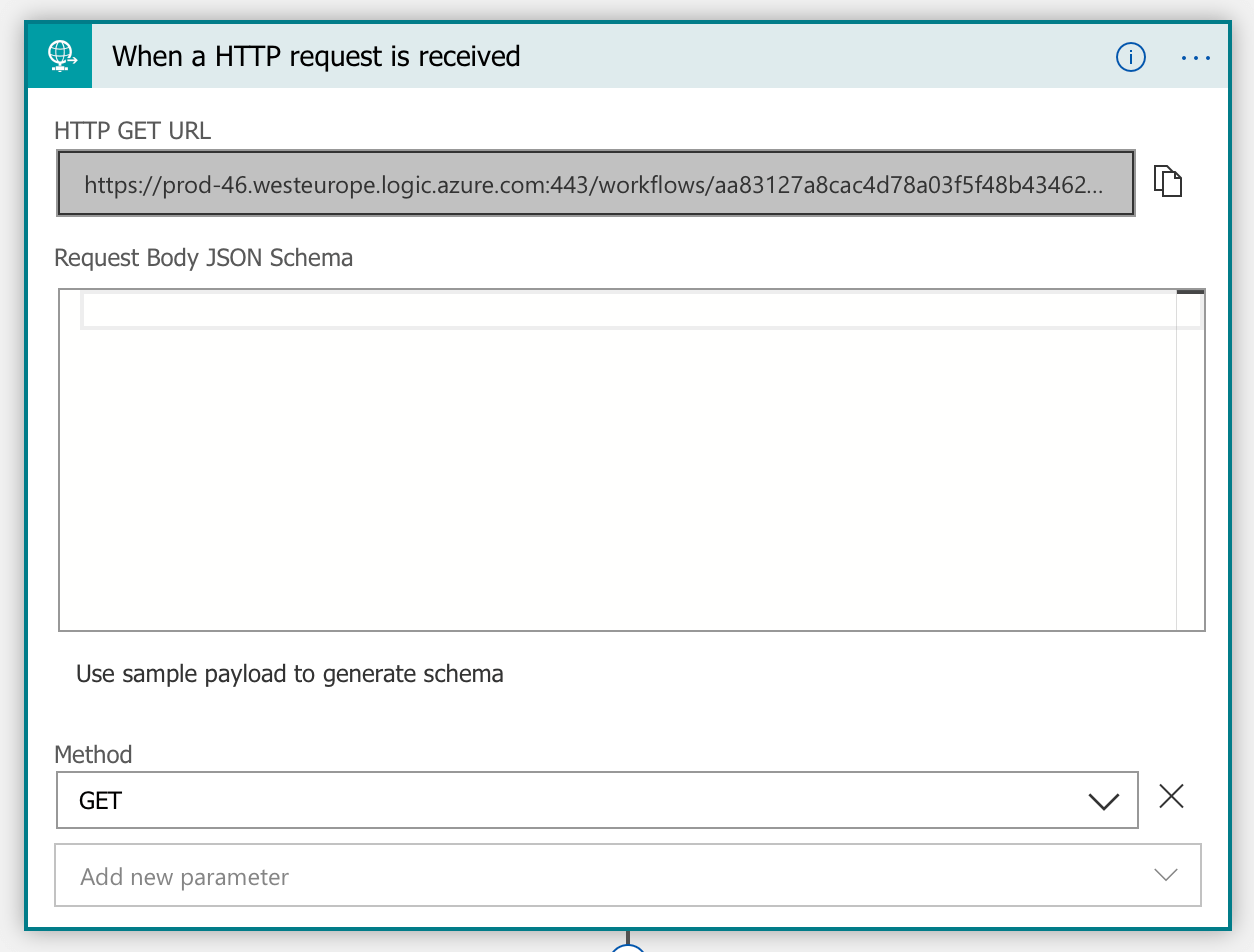
The URL is generated after you save the step for the first time. By default HTTP triggers listen on HTTP POST verbs. You can change this to GET by adding a parameter on the trigger step.
Next we need to execute a SQL query like this:

Next we need to extract the value from the query result. This is a little complicate because the result of the SQL query step is dynamic and therefore the designer can not assist us.


Here is the expression I used:
body('Query_Event_Count')?['resultsets']['Table1'][0]['']
Notes:
Query_Event_Countis the name of the query step above.- The last part
''is the field name to extract. Myselect count()return a empty field.
Finally we need to set a HTTP response which is straight forward. Note that I just return plain text as the body. You can get fancy here.

Note on costs:
A Azure LogicApp costs per execution. Not much but it costs. If you plan to do a lot of HTTP calls this PoC is probably not what you are looking for.
Here is the complete source-code of my LogicApp:
{
    "definition": {
        "$schema": "https://schema.management.azure.com/providers/Microsoft.Logic/schemas/2016-06-01/workflowdefinition.json#",
        "actions": {
            "Initialize_variable_2": {
                "inputs": {
                    "variables": [
                        {
                            "name": "countEvents",
                            "type": "integer",
                            "value": "@body('Query_Event_Count')?['resultsets']['Table1'][0]['']\n"
                        }
                    ]
                },
                "runAfter": {
                    "Query_Event_Count": [
                        "Succeeded"
                    ]
                },
                "type": "InitializeVariable"
            },
            "Query_Event_Count": {
                "inputs": {
                    "body": {
                        "query": "select count(Id) from Events"
                    },
                    "host": {
                        "connection": {
                            "name": "@parameters('$connections')['sql']['connectionId']"
                        }
                    },
                    "method": "post",
                    "path": "/v2/datasets/@{encodeURIComponent(encodeURIComponent('default'))},@{encodeURIComponent(encodeURIComponent('default'))}/query/sql"
                },
                "runAfter": {},
                "runtimeConfiguration": {
                    "staticResult": {
                        "name": "Query_Event_Count0",
                        "staticResultOptions": "Disabled"
                    }
                },
                "type": "ApiConnection"
            },
            "Response": {
                "inputs": {
                    "body": "@{variables('countEvents')} Events",
                    "statusCode": 200
                },
                "kind": "Http",
                "runAfter": {
                    "Initialize_variable_2": [
                        "Succeeded"
                    ]
                },
                "type": "Response"
            }
        },
        "contentVersion": "1.0.0.0",
        "outputs": {},
        "parameters": {
            "$connections": {
                "defaultValue": {},
                "type": "Object"
            }
        },
        "staticResults": {
            "Query_Event_Count0": {
                "outputs": {
                    "headers": {
                        "ResultSets": "Table1"
                    },
                    "statusCode": "OK"
                },
                "status": "Succeeded"
            }
        },
        "triggers": {
            "manual": {
                "inputs": {
                    "method": "GET",
                    "schema": {}
                },
                "kind": "Http",
                "type": "Request"
            }
        }
    },
    "parameters": {
        "$connections": {
            "value": {
                "sql": {
                    "connectionId": "/subscriptions/7be8.....",
                    "connectionName": "sql-2",
                    "id": "....."
                }
            }
        }
    }
}
Hope this helps others!
Categories

 marcduerst.com